
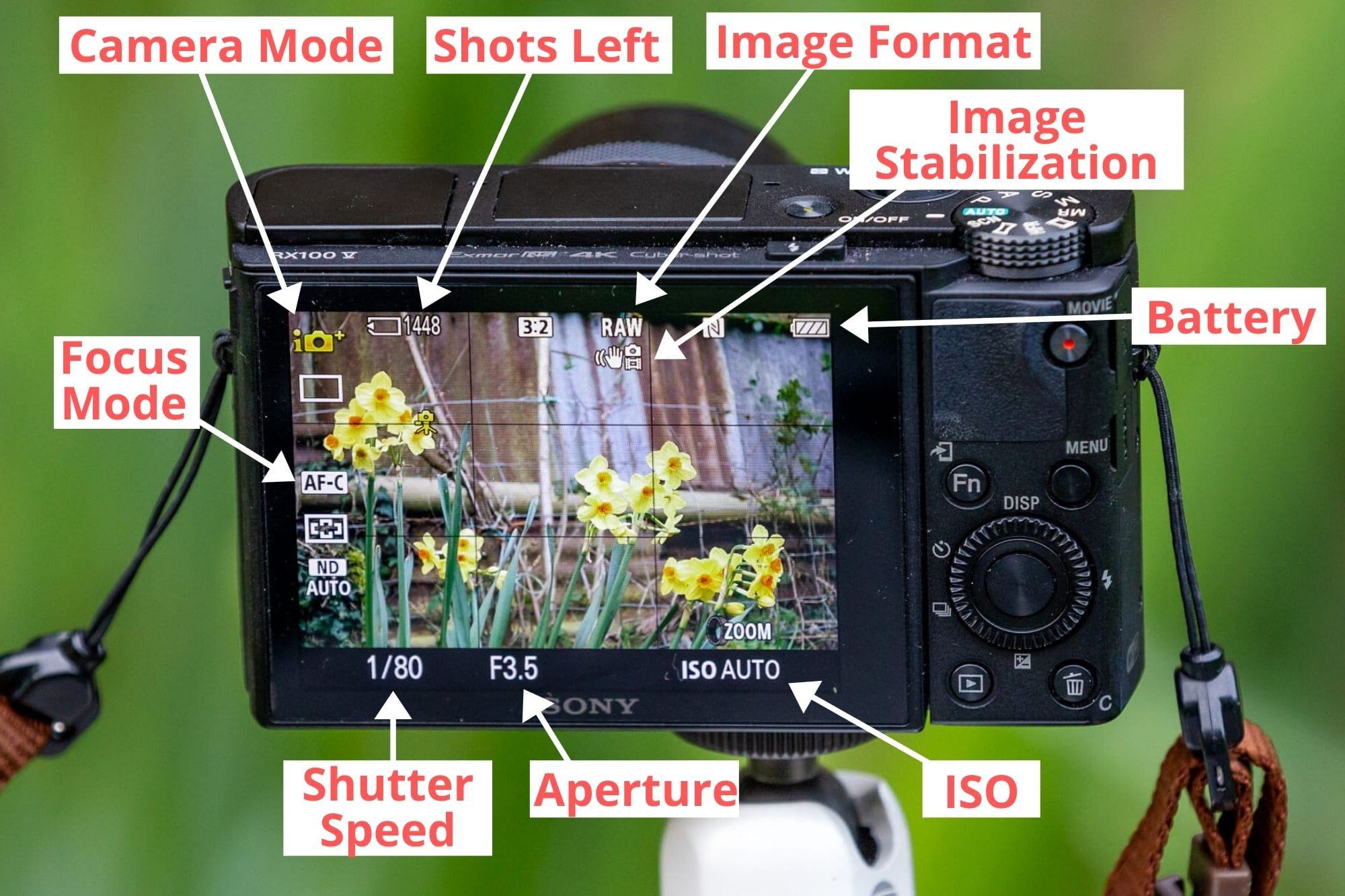
1. Understand Your Camera
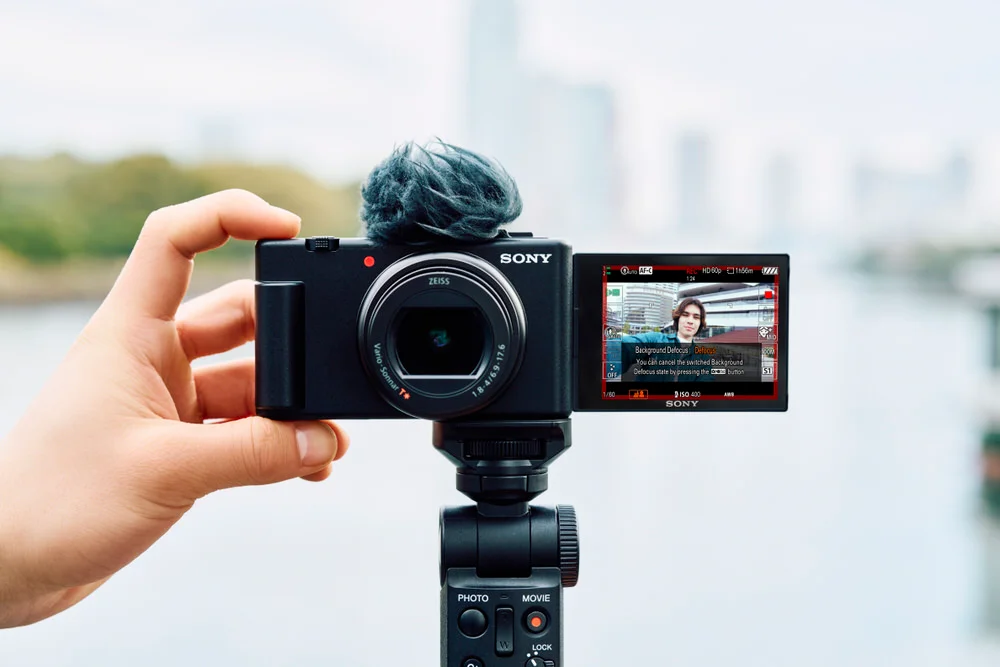
A point-and-shoot camera is small, light, and easy to carry. Unlike big DSLR cameras, it doesn’t need you to change lenses or mess with lots of settings. Most of them work on “auto” mode, meaning the camera decides the best focus, exposure, and shutter speed.
Before taking photos, spend a few minutes looking at your camera. Check where the buttons are: power, shutter (the button you press to take a photo), zoom, and menu. Knowing your camera well makes everything faster and easier.
2. Charging and Memory
Make sure your camera battery is charged. Most point-and-shoots use a rechargeable battery. Keep a spare if you plan a long day of shooting.
You’ll also need a memory card. Most cameras use SD cards. Insert it properly, so you don’t lose your photos. Always carry a backup card if you want to take lots of pictures.
3. Turning On and Setting Up
-
Press the power button to turn it on.
-
Set the date and time – this helps organize your photos later.
-
Explore the camera menu. Look for settings like photo quality (higher quality means bigger files) and flash options.
4. Using the Auto Mode
Most point-and-shoots have an auto mode, often marked with a green camera icon. In auto mode, your camera will handle focus, shutter speed, and exposure automatically. This is perfect for beginners.
Steps to use auto mode:
-
Point the camera at your subject.
-
Half-press the shutter button to focus (the camera will adjust focus and light).
-
Press fully to take the photo.
Try this a few times until you feel comfortable.
5. Understanding Zoom
Point-and-shoot cameras usually have a zoom lens.
-
Optical zoom: This moves the lens to bring the subject closer without losing quality.
-
Digital zoom: This just enlarges the image digitally and can reduce picture quality.
Use optical zoom whenever possible. Slide the zoom lever or press the zoom buttons to adjust before taking a picture.
6. Using Flash Wisely
Your camera has a built-in flash. Use it in low light, but avoid using it too close to people, or the photo may look harsh.
-
Indoor low-light: Turn flash on.
-
Daylight: Flash usually not needed.
-
Backlit subjects: Flash can help brighten the face in shadow.
7. Focusing Tips
Point-and-shoots focus automatically, but sometimes it can struggle:
-
For close objects, use macro mode (usually marked with a flower icon).
-
For moving objects, make sure you track them in the frame and press the shutter quickly.
-
Avoid shooting through glass or fences – the camera may focus on the wrong thing.
8. Composition Basics
Even with a simple camera, you can take great photos by following some basic rules:
-
Rule of thirds: Imagine your frame divided into 9 squares. Place your subject along the lines or intersections for better balance.
-
Fill the frame: Don’t leave too much empty space around your subject.
-
Look for light: Morning and evening light looks soft and natural. Avoid harsh midday sun if possible.
-
Check the background: Make sure nothing distracting is behind your subject.
9. Special Modes
Many point-and-shoot cameras have modes like:
-
Portrait: Blurs the background to make the person stand out.
-
Landscape: Keeps everything in focus, good for wide outdoor scenes.
-
Night: Uses longer exposure, may need a tripod to avoid blur.
-
Sports: Captures fast-moving subjects without blur.
Try different modes to see what works best for your scene.
10. Reviewing Photos
After taking photos, use the playback button to check them on the camera screen.
-
Zoom in to check focus.
-
Delete blurry or unwanted pictures to save memory.
11. Transferring Photos
Use a USB cable, SD card reader, or Wi-Fi (if your camera supports it) to transfer photos to your computer or phone. Organize them in folders so it’s easy to find later.
12. Caring for Your Camera
-
Keep it clean: Wipe the lens gently with a soft cloth.
-
Protect it from water and dust.
-
Don’t drop it – point-and-shoots are small, but lenses can still break.
-
Turn it off when not in use to save battery.
13. Practice Makes Perfect
The best way to get good at using a point-and-shoot is to take lots of photos. Try different angles, lighting, and subjects. Experiment with close-ups, landscapes, people, and objects. Over time, you’ll start seeing what works and what doesn’t.
Quick Tips Summary
-
Learn your camera buttons.
-
Keep your battery charged and memory card ready.
-
Use auto mode for easy shots.
-
Prefer optical zoom over digital zoom.
-
Use flash wisely.
-
Pay attention to focus and composition.
-
Try different camera modes.
-
Review photos and delete bad ones.
-
Transfer and organize photos regularly.
-
Take care of your camera and practice often.
Point-and-shoot cameras are meant to make photography simple. With a little practice, you can capture great memories without worrying about complicated settings. Just aim, focus, and click – the camera does the rest.
Read Also: Keep your face towards the sunshine and shadows will fall behind you
Watch Also: https://www.youtube.com/@TravelsofTheWorld24





Leave a Reply