

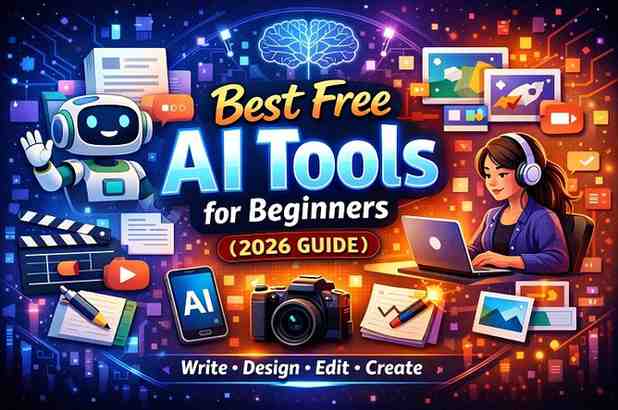
Artificial Intelligence (AI) is transforming learning and development. In 2026, free AI tools are making it easier for students, professionals, and organizations to learn faster, create content, and improve skills. These tools are accessible even for beginners and don’t require expensive software or technical knowledge.
This guide highlights the top free AI tools for learning and development, explaining what they do, who can use them, and why they are useful.
Why AI Tools Are Important for Learning & Development
AI tools are changing how we learn and develop new skills because they:
-
Save time: AI automates repetitive tasks, letting users focus on learning or creative work.
-
Provide personalized learning: AI can suggest resources or exercises based on your progress.
-
Enhance creativity: Tools can generate ideas, designs, and content automatically.
-
Offer instant feedback: AI can correct mistakes or suggest improvements in writing, coding, or other tasks.
-
Support skill-building: AI tools help learners practice coding, writing, designing, and research effectively.
With free AI tools, students, educators, and professionals can access high-quality learning support anywhere in the world.
Top Free AI Tools for Learning & Development
1. ChatGPT – AI Learning Assistant
ChatGPT is a conversational AI by OpenAI. It can answer questions, explain topics, summarize text, and help generate ideas.
How learners use it:
-
Understanding difficult topics
-
Summarizing lecture notes or articles
-
Practicing writing and research skills
How professionals use it:
-
Creating training content
-
Drafting learning modules
-
Brainstorming ideas for workshops or courses
Why it’s useful: ChatGPT provides instant explanations in simple language, making learning faster and easier.
2. Grammarly – AI Writing Coach
Grammarly is an AI-powered writing assistant that checks grammar, punctuation, and style.
How learners use it:
-
Improving essays and assignments
-
Learning proper grammar and sentence structure
-
Practicing professional writing
How professionals use it:
-
Drafting reports and presentations
-
Ensuring clarity and tone in corporate communication
-
Creating training materials
Why it’s useful: Grammarly not only corrects mistakes but also helps learners understand why changes are needed, improving writing skills over time.
3. Canva AI – Design and Visual Learning
Canva AI makes graphic design accessible for everyone. AI features include image generation, templates, and design suggestions.
How learners use it:
-
Designing posters and presentations
-
Creating visual aids for projects
-
Learning about layouts, colors, and visual communication
How professionals use it:
-
Designing e-learning content
-
Creating marketing materials for learning programs
-
Producing social media graphics for training campaigns
Why it’s useful: Canva AI allows beginners to create professional visuals without prior design experience.
4. Notion AI – Organization and Knowledge Management
Notion AI helps learners and professionals organize information, summarize content, and manage tasks.
How learners use it:
-
Taking and summarizing notes
-
Creating study plans and to-do lists
-
Brainstorming project ideas
How professionals use it:
-
Developing training schedules
-
Organizing learning resources
-
Writing and reviewing learning content
Why it’s useful: Notion AI combines note-taking and productivity, making learning structured and organized.
5. Lumen5 – Video Learning and Creation
Lumen5 converts text into videos automatically. It’s perfect for learners who prefer visual learning and for creating learning content.
How learners use it:
-
Turning summaries or notes into video lessons
-
Creating presentations with visual storytelling
-
Sharing learning projects via videos
How professionals use it:
-
Creating training videos for teams
-
Developing educational content for workshops
-
Enhancing online courses with engaging visuals
Why it’s useful: Lumen5 allows beginners to create professional videos quickly without video editing skills.
6. ChatPDF – PDF Learning Assistant
ChatPDF lets users upload PDFs and ask questions about their content.
How learners use it:
-
Summarizing textbooks or research papers
-
Extracting key points for assignments
-
Learning from long documents efficiently
How professionals use it:
-
Reviewing reports or manuals
-
Summarizing corporate policies or training documents
-
Quickly analyzing content for decision-making
Why it’s useful: ChatPDF turns long documents into easy-to-understand summaries, saving hours of reading.
7. Perplexity AI – AI Research Assistant
Perplexity AI is a search engine that provides AI-generated summaries from multiple sources.
How learners use it:
-
Conducting research quickly
-
Comparing multiple viewpoints
-
Understanding complex subjects
How professionals use it:
-
Gathering competitive intelligence
-
Summarizing industry reports
-
Researching learning trends
Why it’s useful: It provides concise answers from multiple sources, helping learners and professionals stay informed.
8. GitHub Copilot – Coding Assistant
GitHub Copilot helps beginners and professionals write code by suggesting lines of code in real-time.
How learners use it:
-
Learning programming languages
-
Completing coding assignments faster
-
Practicing coding exercises
How professionals use it:
-
Automating repetitive coding tasks
-
Developing e-learning platforms
-
Creating software for training or productivity
Why it’s useful: Copilot accelerates learning programming by showing practical examples as you code.
9. Craiyon and Other AI Image Generators
AI image generators like Craiyon allow users to create visuals from text prompts.
How learners use it:
-
Creating visual aids for presentations
-
Illustrating projects
-
Exploring creative ideas
How professionals use it:
-
Generating graphics for training programs
-
Designing educational content
-
Visualizing concepts for workshops
Why it’s useful: Beginners don’t need artistic skills; AI generates images instantly.
Benefits of Free AI Tools for Learning & Development
-
Accelerates learning: AI explains concepts and summarizes content quickly.
-
Enhances creativity: AI generates ideas, visuals, and content automatically.
-
Builds skills: Helps learners improve writing, design, coding, and productivity.
-
Saves time: Reduces repetitive or tedious tasks.
-
Accessible worldwide: Free tools break barriers for students, freelancers, and professionals.
Tips for Using AI Tools Effectively
-
Start with one or two tools: Focus on tools that match your learning goals.
-
Follow tutorials: Learn features and shortcuts from official guides or videos.
-
Combine tools: For example, use ChatGPT for ideas, Grammarly to refine writing, and Canva AI for visuals.
-
Check results: AI can make mistakes—always verify information or outputs.
-
Experiment regularly: Try different prompts and features to discover new uses.
AI Tools for Different Learning Needs
-
Writing and content creation: ChatGPT, Grammarly
-
Design and visuals: Canva AI, Craiyon
-
Video creation: Lumen5
-
Organization and productivity: Notion AI
-
Research and summaries: Perplexity AI, ChatPDF
-
Coding and software development: GitHub Copilot
By matching the right AI tools to learning goals, beginners can maximize productivity and skill development.
Future of AI in Learning & Development
In 2026, AI tools for learning are expected to:
-
Offer even more personalization: Suggest learning paths based on individual progress
-
Integrate multiple functions: Writing, design, video, and coding in one platform
-
Provide smarter feedback: Identify weaknesses and suggest improvements automatically
-
Become more accessible: Free tools will expand globally for students, freelancers, and professionals
AI tools are transforming learning from a manual, time-consuming process into a faster, interactive, and more enjoyable experience.
Conclusion
Free AI tools are making learning and development easier than ever. Beginners, students, educators, and professionals can now write, design, code, create videos, organize tasks, and research using AI—without paying anything upfront.
Some of the best beginner-friendly AI tools include:
-
ChatGPT – learning assistant and content generator
-
Grammarly – writing coach
-
Canva AI – design and visual creation
-
Notion AI – organization and productivity
-
Lumen5 – video creation
-
ChatPDF – PDF assistant
-
Perplexity AI – research and summaries
-
GitHub Copilot – coding assistant
-
Craiyon – AI image generation
The key to success is to start small, experiment, and use AI responsibly. Free AI tools empower learners and professionals to develop skills, boost productivity, and explore creativity—making learning smarter, faster, and more accessible in 2026.
Read Also: Keep your face towards the sunshine and shadows will fall behind you
Watch Also: https://www.youtube.com/@TravelsofTheWorld24







Leave a Reply